
Age check via BankID
With "Age verification via BankID" you can mark products that require age verification.
You choose which age should be checked. That is, if you set verification to 18 on a product, the end customer will have to confirm that they are at least 18 years old.
Store owners can set the desired age for each product. E.g., 16 for products like energy drinks.
Add age verification
Before products can get BankID check, the service must be activated by Acendy. Please contact our support department.
To activate age verification for a product, follow these steps:
- Go to Product Catalog > Products.
- Select the relevant product.
- Find the tag
age_verificationand add which age should be checked.. - Update the product.
The product will now be marked for age verification with the age that was entered. When the customer adds the product to the shopping cart (both Klarna Checkout and Hurtigkassen), they will be redirected to a page for BankID verification.

Display in the online store
In the online store, both the product and shopping cart will have a notification indicating that purchasing the product will require BankID for verification.
Product page
On the product page, this notification will be displayed.
The notification is dynamic and will show the actual age set as required verification.

Shopping cart
In the shopping cart, this notification will be displayed.
The notification is dynamic and will show the actual age set as required verification.
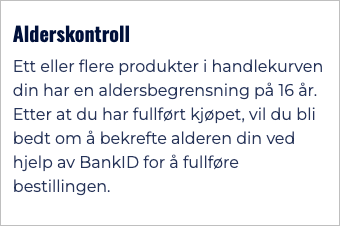
If the end customer has multiple products in the shopping cart with different age checks, the lowest age will apply.
Order Status
Order status is displayed with color codes in the order overview:
- Approved orders: green
- Unapproved orders: red
Green orders are approved via age check. Red orders require manual confirmation of the customer's age before they can be sent.
Please note
Orders marked in red mean that the customer has not passed or completed the age verification process. The customer may be over 18 years of age, but the order requires manual follow-up to confirm age before shipment.
Invoice and age check
Orders placed with invoice will not have a color code.
Since you must be over 18 years of age to pay by invoice or installment, no color code will be displayed on orders where the customer has provided a social security number showing that they are over 18 years of age. Klarna performs an age check without BankID in these cases.