
Global border radius
Using a global border radius, you can define each size within the theme settings and then reuse it across your design. This results in all the radii being the same, creating a consistent design. If, at a later point, you wish to change the value of a border radius, you only need to do so in the theme settings, and all blocks/settings using that border radius will follow.
Adjusting global border radius
- Open your design builder
- Open theme settings
- Go to
General > Global border radius
From here you can adjust each border radius value. Remember that the value you input needs a unit, like px or rem.
Using the global radius
The global radius setting is available on many blocks (but not all). In order to use it you must have advanced mode active. The setting itself is located within the advanced settings section on a block/section.
In the image below the hero banner has global radius active with the value RADIUS-3XL
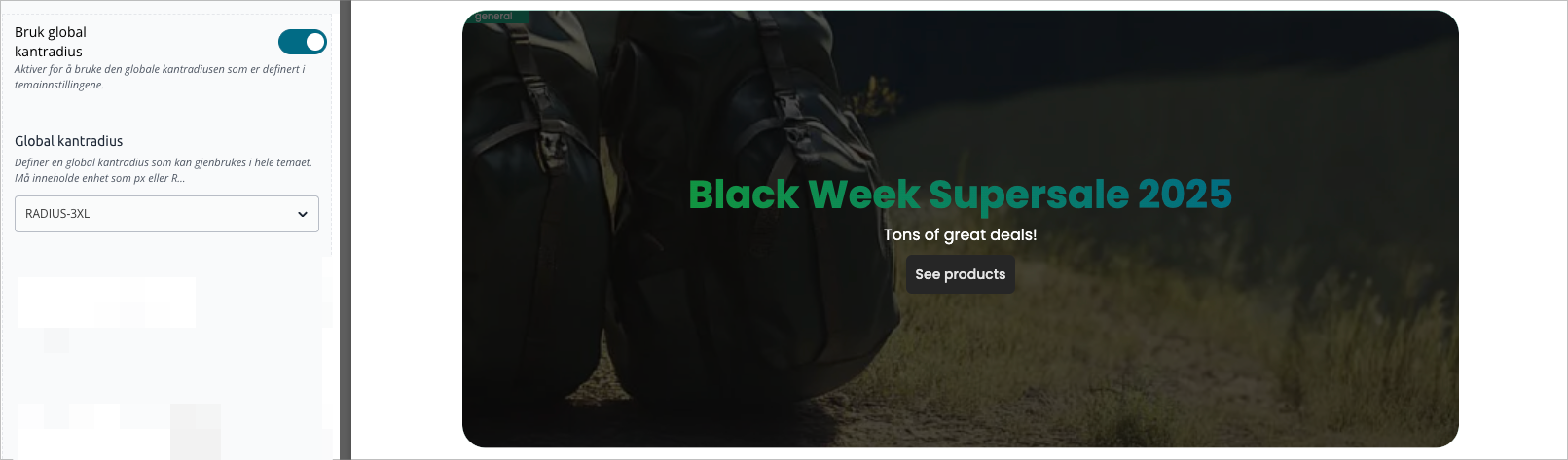
Toggle on "Global border radius"
For many blocks and sections you first need to toggle on the usage of global border radius. When doing so existing border radius settings will be removed. Meaning you can't use both global and regular border radius at the same time.
Global values in custom code
If you write custom code (CSS) and want to use the global values you can easily do so. Each global radius has a correspondig CSS variable;
var(--radius-xs)var(--radius-sm)var(--radius-md)var(--radius-lg)var(--radius-xl)var(--radius-2xl)var(--radius-3xl)var(--radius-full)var(--radius-none)