
Category Description
This article explains how to add and optimize category descriptions, and why this is important for both customer experience and search engine visibility.
What is a category description?
A category description is the text displayed on a category page in the online store.
Good category descriptions help customers understand what they can find in the category, and also contribute to better SEO.
A good category description should:
- describe what products the category contains
- highlight benefits, brands, or uses
- be unique and relevant to this specific category
How to add a category description
Step 1: Find the category
- Go to Products → Products in your control panel
- Find the desired category or subcategory
- Click on the pencil icon (Edit)
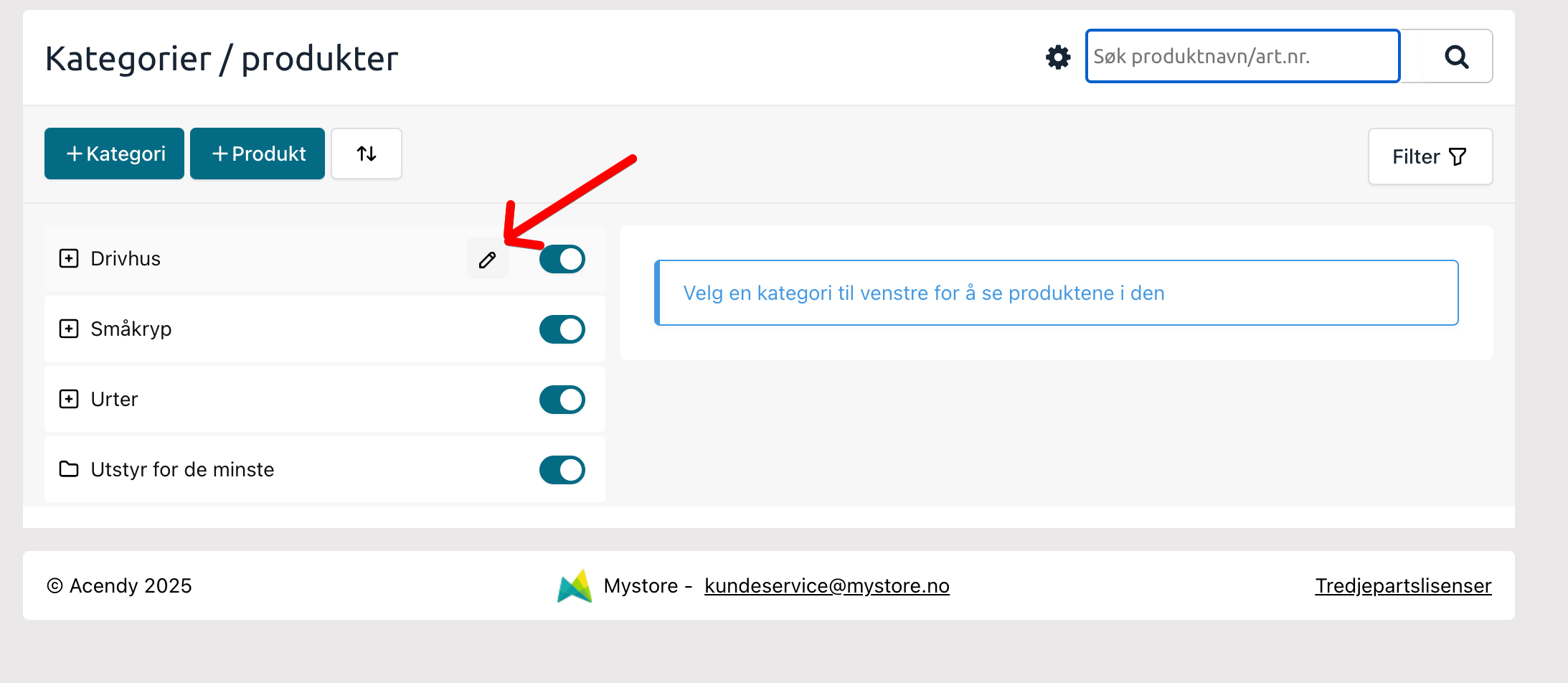
Step 2: Open category description
- Click on Category Description → Create Category Description
- You now have access to:
- Top description
- Bottom description
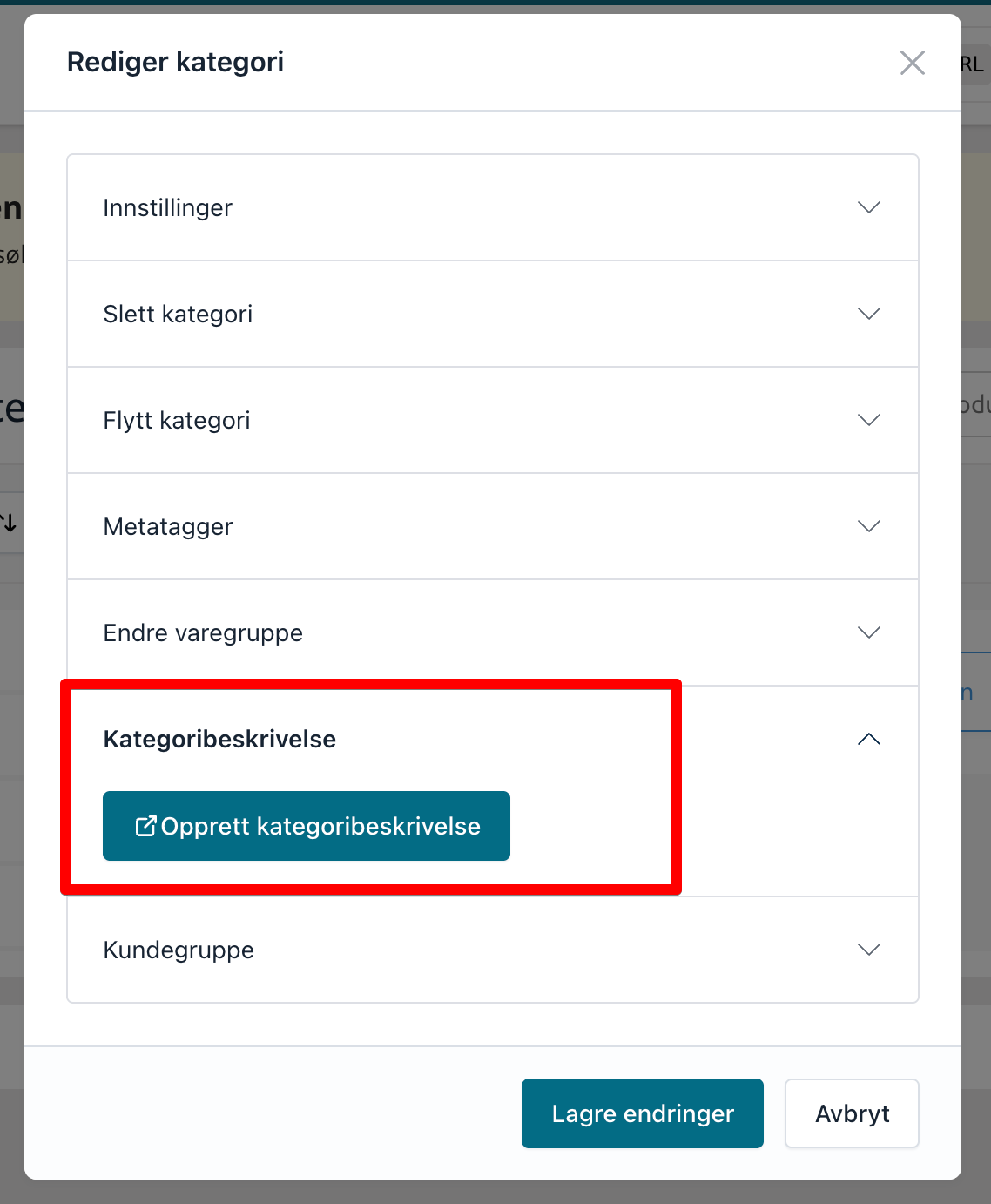
Top and bottom description – how to use them
Top description
- Visually placed at the top of the category page
- Recommended length: 2–3 short sentences
- Brief introduction to what the category contains
→ Tip: Keep the text short so it doesn't take up too much space in mobile view.
Example content:
- What kind of products are found here?
- What need does the category cover?
Bottom description
- Visually placed at the bottom of the category page
- Can be longer and more comprehensive
- Allows for more detailed information
Here you can:
- describe product types, uses, and any recommendations
- work more actively with relevant keywords
Recommendations
- Use unique text for each category
- Avoid copying descriptions between categories
- Write first for the customer, then for search engines
- Ensure the text actually matches the products in the category
Use digital assistant for inspiration
You can use your digital assistant to get help with:
- ideas for category descriptions
- formulating SEO-friendly texts
- improving existing content
Read our article on how to use the digital assistant for content work.
Important to know
- Top and bottom descriptions are displayed in different places on the category page
- Overly long top texts can negatively affect the mobile experience
- Good category descriptions can contribute to both better ranking and increased conversion