
Google Search Console
Google Search Console gives you insight into your online store's visibility and traffic from Google Search
How to connect Google Search Console to Acendy
- Create Google Search Console account for your store. Select HTML tag as the verification method and copy the verification code you receive.
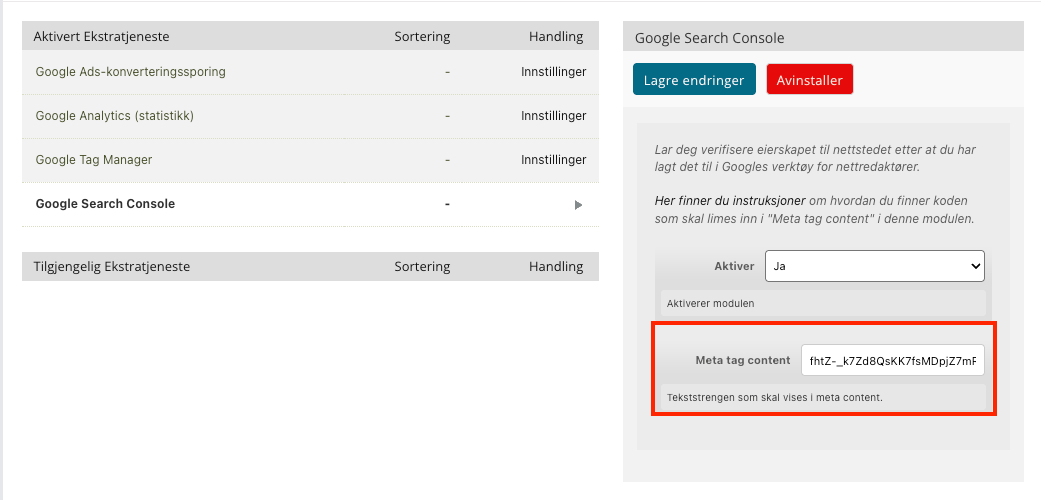
- Log in to the control panel and go to “Configuration” then click on Google.
- Find Google Search Console and click on it.
- Paste the verification code in the relevant field and click Save.
- Go back to Google Search Console and complete the verification.
What happens after connecting?
Google Search Console will confirm ownership of your online store, and you can start monitoring search performance and visibility in Google Search.
See Google's documentation on how to find the HTML tag:
https://support.google.com/webmasters/answer/9008080?hl=en#zippy=%2Chtml-tag